


Let’s be honest—Google Ads management can feel overwhelming.
Between bidding strategies, keyword types, and Google’s constant updates, it’s easy to burn through your budget without seeing real results. Sound familiar?
Here’s the good news: You don’t need to be a PPC expert to run successful campaigns. You just need the right approach.
This guide breaks down everything you need to know about managing Google Ads effectively. We’ll skip the confusing jargon and focus on what actually moves the needle for your business.
What you’ll learn:
- How to set up your account the right way (from day one)
- Smart bidding strategies that work in 2026
- Simple optimization tricks you can do weekly
- Common mistakes that waste money (and how to avoid them)
Ready to make your ads work harder? Let’s dive in.
What Is Google Ads Management, Anyway?
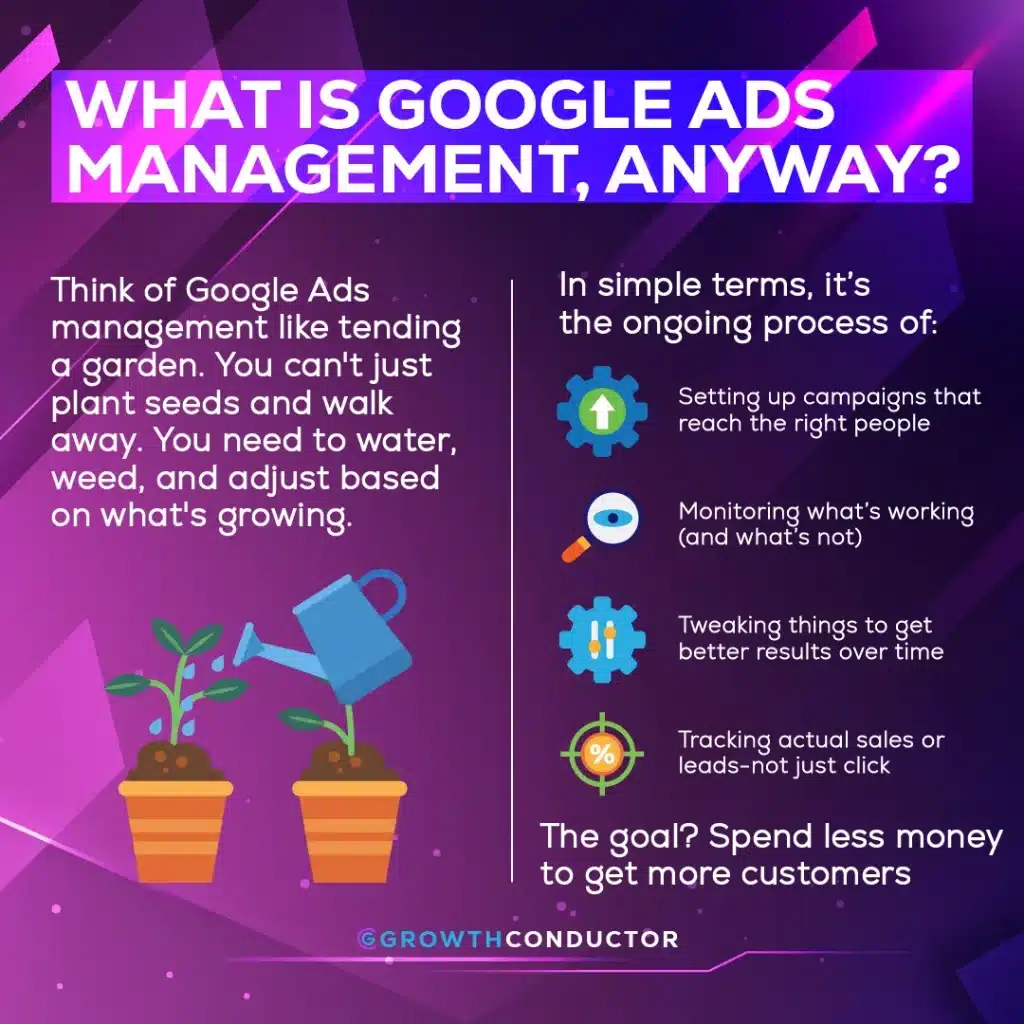
Think of Google Ads management like tending a garden. You can’t just plant seeds and walk away. You need to water, weed, and adjust based on what’s growing.
In simple terms, it’s the ongoing process of:
- Setting up campaigns that reacth the right people
- Monitoring what’s working (and what’s not)
- Tweaking things to get better results over time
- Tracking actual sales or leads—not just clicks
The goal? Spend less money to get more customers.
What Does This Actually Include?
Good Google Ads management covers several key activities:
| Activity | What It Means | Why It Matters |
| Account structure | Organizing campaigns logically | Easier to manage and optimize |
| Keyword research | Finding what people actually search | Reach buyers, not browsers |
| Ad writing | Creating messages that get clicks | Better ads = lower costs |
| Bid management | Deciding what to pay per click | Control your spending |
| Tracking setup | Measuring real business results | Know what’s actually working |
When these pieces work together, your ads become a predictable growth engine—not a money pit.
Pro tip: If you’re spending more than $5,000/month on ads, professional AI-powered PPC management typically pays for itself through better results.
Building a Solid Foundation (Get This Right First)
Before you worry about fancy strategies, you need the basics in place. Think of this as laying a strong foundation before building a house.
Organize Your Campaigns by Goal
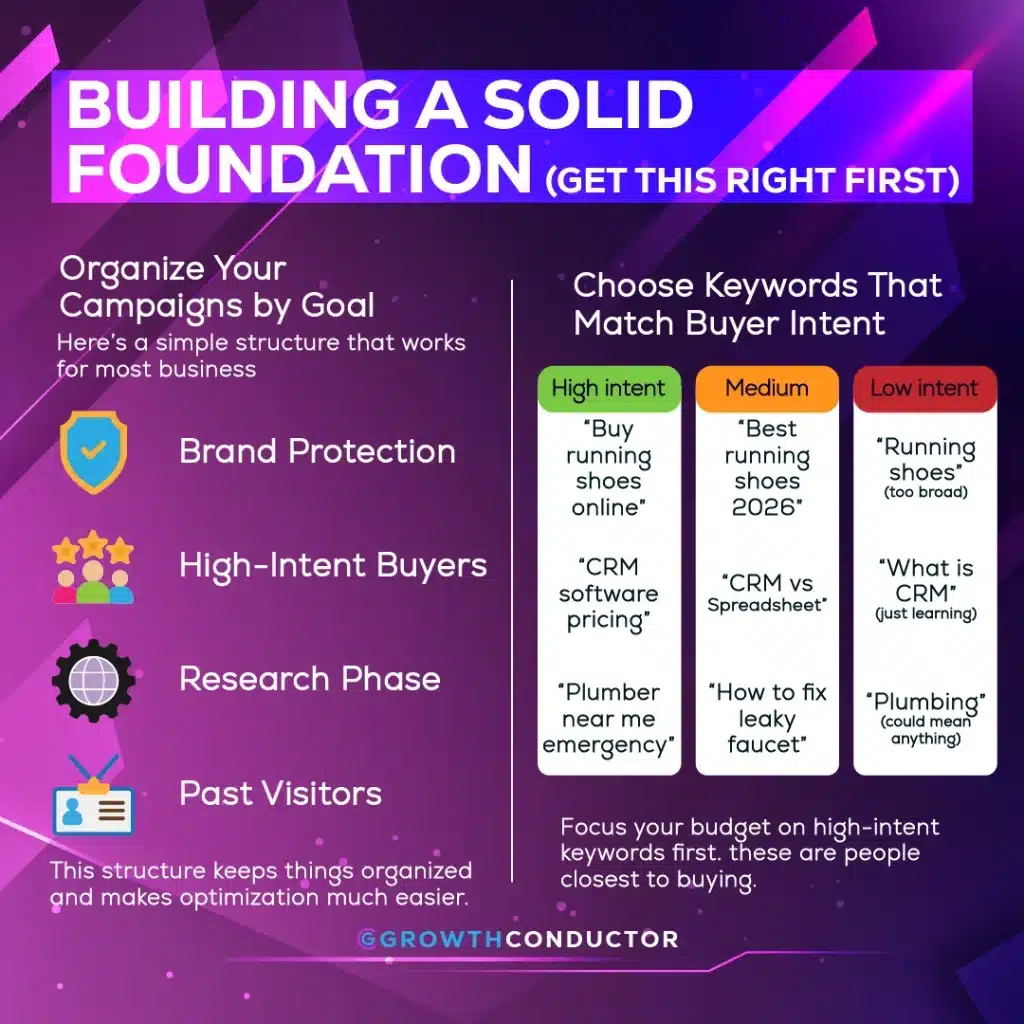
Here’s a simple structure that works for most businesses:
Campaign Type 1: Brand Protection
- Target: People searching your company name
- Goal: Don’t let competitors steal your traffic
- Budget: Small but essential
Campaign Type 2: High-Intent Buyers
- Target: People ready to purchase (“buy,” “pricing,” “near me”)
- Goal: Capture people with wallets open
- Budget: Your biggest investment
Campaign Type 3: Research Phase
- Target: People exploring options (“best,” “vs,” “reviews”)
- Goal: Get on their radar early
- Budget: Moderate, test and scale winners
Campaign Type 4: Past Visitors
- Target: People who visited but didn’t convert
- Goal: Bring them back to finish
- Budget: Small, high-return
This structure keeps things organized and makes optimization much easier.
Choose Keywords That Match Buyer Intent
Not all keywords are created equal. Here’s how to think about them:
High intent (prioritize these):
- “Buy running shoes online”
- “CRM software pricing”
- “Plumber near me emergency”
Medium intent (good for awareness):
- “Best running shoes 2026”
- “CRM vs spreadsheet”
- “How to fix leaky faucet”
Low intent (often wastes money):
- “Running shoes” (too broad)
- “What is CRM” (just learning)
- “Plumbing” (could mean anything)
Focus your budget on high-intent keywords first. These are people closest to buying.
Quick win: Review your search terms report weekly. You’ll find surprising phrases that waste money—block them immediately.
Smart Bidding: Let Google Help (But Stay in Control)
Google’s AI has gotten really good at bidding. But you need to set it up correctly, or it’ll optimize for the wrong things.
Which Bidding Strategy Should You Use?
Here’s a simple decision guide:
If you want more sales/leads at a target cost:
→ Use “Target CPA” (Cost Per Acquisition)
→ Tell Google: “I want leads for $50 each”
If you want maximum revenue from your budget:
→ Use “Target ROAS” (Return on Ad Spend)
→ Tell Google: “I want 4backforevery1 spent”
If you’re just starting out:
→ Use “Maximize Conversions” first
→ Let Google learn what works, then switch to targets
The Secret Ingredient: Good Data
Here’s what most people miss: Google’s AI is only as smart as the data you feed it.
Before using smart bidding, make sure you have:
✅ Conversion tracking installed correctly
✅ At least 30 conversions in the past 30 days
✅ Different values assigned to different actions (a purchase is worth more than a newsletter signup)
Without good data, Google is flying blind—and so is your budget.
Budget Tips That Actually Help
- Don’t spread too thin. Five campaigns with 20/dayeachwillstruggle.Bettertohavetwocampaignswith50/day.
- Check “Limited by Budget” warnings. If you see this, your best campaigns are being held back.
- Adjust for seasons. Spend more during busy periods, less during slow times.
- Give changes time. Wait 2 weeks before judging results. Google needs time to learn.
Tracking: The Foundation of Everything
If you can’t measure it, you can’t improve it. Yet tracking is where most advertisers mess up.
Setting Up Tracking That Actually Works
Step 1: Define what matters
What actions do you actually want people to take?
- Purchase something
- Fill out a contact form
- Call your business
- Book an appointment
- Download a resource
Step 2: Assign values
Not all conversions are equal. Tell Google what each is worth:
| Action | Suggested Value |
|---|---|
| Purchase | Actual sale amount |
| Demo request | $100-500 (based on close rate) |
| Contact form | $50-200 |
| Phone call | $25-100 |
| Newsletter signup | $5-10 |
Step 3: Use enhanced conversions
This sounds technical, but it’s worth it. Enhanced conversions capture 20-30% more data by securely matching customer information. Google’s help docs walk you through setup.
Numbers to Watch (Keep It Simple)
Skip vanity metrics. Focus on these:
Must track:
- Cost per conversion (what you pay for each lead/sale)
- Conversion rate (% of clicks that convert)
- Return on ad spend (revenue ÷ ad cost)
Nice to know:
- Click-through rate (are your ads compelling?)
- Quality Score (is Google happy with your setup?)
- Impression share (how much of the market are you capturing?)
Our paid search campaign management team reviews these metrics weekly for clients. It’s the difference between guessing and knowing.
Weekly Optimization: Small Tweaks, Big Results
Here’s a secret: The best Google Ads accounts aren’t built overnight. They’re improved week by week through small, consistent tweaks.
Your 30-Minute Weekly Checklist
Monday morning routine:
☐ Check search terms (10 minutes)
Look at what people actually searched to trigger your ads. Add irrelevant terms as negatives.
☐ Review ad performance (10 minutes)
Which ads have the best conversion rates? Pause poor performers. Create variations of winners.
☐ Check budgets (5 minutes)
Any “Limited by budget” warnings? Shift money from underperformers to winners.
☐ Scan for anomalies (5 minutes)
Any sudden drops or spikes? Investigate before problems grow.
That’s it. Thirty minutes of focused attention beats hours of random tinkering.
Writing Ads That Get Clicked (and Convert)
Google’s responsive search ads let you enter multiple headlines and descriptions. Here’s how to make them work:
Headline tips:
- Include your main keyword naturally
- Mention a specific benefit (“Save 40% Today”)
- Add urgency when appropriate (“Limited Spots”)
- Use numbers (“5-Star Rated,” “Since 2010”)
- Ask questions (“Tired of Slow Software?”)
Description tips:
- Lead with customer benefits, not features
- Include a clear call-to-action
- Match the landing page message
- Address common objections
Example makeover:
❌ Before: “CRM Software | Best CRM | Try Our CRM Today”
✅ After: “CRM That Sales Teams Actually Use | Close 30% More Deals | Free 14-Day Trial”
Aim for “Excellent” ad strength, but don’t obsess over it. Conversion rate matters more than Google’s score.
The Power of Negative Keywords
This is the most underused optimization tactic. Negative keywords tell Google what NOT to show your ads for.
Common negatives to add:
- “Free” (unless you offer free trials)
- “Jobs,” “careers,” “hiring” (unless you’re recruiting)
- “DIY,” “how to” (unless you sell educational content)
- Competitor names (unless you want comparison traffic)
- Unrelated industries or products
Real example:
A B2B software company was showing up for “free project management templates.” Adding “free” and “templates” as negatives cut wasted spend by 25%.Check your search terms weekly and add negatives proactively.
Common Mistakes That Waste Money
After managing hundreds of accounts, we see the same mistakes repeatedly. Here’s how to avoid them:
Mistake #1: Tracking the Wrong Things
The problem: You’re optimizing for clicks or impressions instead of actual business results.
The fix: Set up conversion tracking for real actions (purchases, leads, calls). Then optimize for those.
Mistake #2: Spreading Budget Too Thin
The problem: Running 10 campaigns with $10/day each. None have enough data to optimize properly.
The fix: Consolidate. Better to dominate 2-3 campaigns than struggle with 10.
Mistake #3: “Set It and Forget It” Mentality
The problem: Launching campaigns and checking back months later.
The fix: Weekly reviews (even 30 minutes helps). Small consistent improvements compound dramatically.
Mistake #4: Ignoring Search Terms
The problem: Your ads show for irrelevant searches, wasting budget on people who’ll never buy.
The fix: Weekly search term reviews. Add negatives aggressively. This alone can save 20-30% of budget.
Mistake #5: Landing Page Disconnect
The problem: Your ad promises one thing, but the landing page talks about something else.
The fix: Match your landing page headline to your ad headline. Continue the same message and offer.
Mistake #6: Giving Up Too Soon
The problem: Pausing campaigns after a few days because results aren’t immediate.
The fix: Give campaigns 2-4 weeks and at least 100 clicks before making big decisions. Google’s AI needs time to learn.
Quick self-assessment: Which of these mistakes might you be making? Pick one to fix this week.
Should You Manage Ads Yourself or Hire Help?
This is a fair question. Here’s an honest framework:
Managing In-House Makes Sense When:
✅ Your monthly ad spend is under $5,000
✅ You have time for weekly optimization (2-4 hours)
✅ Your campaigns are relatively simple
✅ You enjoy learning digital marketing
✅ You have basic analytics skills
Hiring Expert Help Makes Sense When:
✅ You’re spending $5,000+ monthly on ads
✅ Your time is better spent on core business activities
✅ You need complex setups (multiple locations, products, audiences)
✅ Results have plateaued despite your efforts
✅ You want faster scaling with less risk
The Math Often Favors Expertise
Here’s a simple calculation:
If an expert improves your results by 30% on a 10,000/month ad spend,that′s 3,000 more value monthly. Even if management costs 1,500/month, you′re ahead 1,500.
The bigger your spend, the more expertise pays off.
Not sure where you stand?
Our team offers free account audits. We’ll tell you honestly whether professional management makes sense for your situation.
Your Action Plan: Start Here
Feeling overwhelmed? Don’t worry. You don’t need to do everything at once.
This Week: Quick Wins
- Check your conversion tracking. Is it measuring what actually matters to your business?
- Review search terms. Add 5-10 obvious negatives.
- Look at your budget allocation. Any campaigns limited by budget? Any wasting money?
This Month: Foundation Building
- Restructure campaigns by intent (brand, high-intent, research, retargeting).
- Set up enhanced conversions for better tracking.
- Create a weekly 30-minute review habit.
This Quarter: Optimization Focus
- Test new ad variations systematically.
- Experiment with smart bidding if you have enough conversion data.
- Expand successful campaigns with new keywords and audiences.
Wrapping Up
Google ads management doesn’t have to be complicated.
The fundamentals are straightforward:
- Structure campaigns around buyer intent
- Track what actually matters to your business
- Let Google’s AI help, but feed it good data
- Optimize weekly with small, consistent improvements
- Avoid common mistakes that waste money
The accounts that win aren’t necessarily the ones with the biggest budgets. They’re the ones with the smartest strategies and most consistent attention.
Start with one improvement this week. Then another next week. Small steps add up to big results.
Frequently Asked Questions
It covers everything from setting up your account structure to daily monitoring, ad testing, keyword refinement, and performance analysis. The goal is turning ad spend into profitable customer acquisition.
For a well-structured account, expect 2-4 hours weekly for monitoring and optimization. Initial setup takes longer (10-20 hours). Complex accounts need more attention.
Generally yes if you’re spending over $5,000/month. Expert management typically improves results by 20-50%, which more than covers the cost. For smaller budgets, self-management is often fine.
Not tracking conversions properly. Without good data, you’re optimizing blind. Many businesses track clicks instead of actual leads or sales, leading to wasted spend on traffic that never converts.
Initial data comes within days, but meaningful optimization takes 4-8 weeks. Google’s AI needs time to learn. Give campaigns at least 100 clicks and 2 weeks before making major changes.
Ready for Better Results?
If you’ve read this far, you’re serious about improving your Google Ads performance. That’s exactly the mindset that gets results.
Two paths forward:
Path 1: DIY with confidence
Use this guide as your roadmap. Implement the weekly checklist. Fix one thing at a time. You’ve got this.
Path 2: Get expert eyes on your account
Our AdVelocity™ team offers free account audits. We’ll identify your biggest opportunities and tell you honestly whether professional management makes sense.
No pressure either way. We just want to see businesses succeed with their advertising.